Evil Twin WiFi Attacks in 2026: How Hackers Clone Your Network (And How to Stop Them)
I've spent the last 11+ years deploying and maintaining production systems across dozens of client environments — hotel property management software, digital pawnshop platforms, enterprise HR payroll systems, and more. That work takes me regularly to client sites: hotel lobbies in Surabaya, co-working spaces in Jakarta, coffee shops in Bali. And every single time I open my laptop in one of those places and reach for the local WiFi, the same mental checklist runs through my head: Is this network actually what it says it is?
More often than most people realize, the honest answer is: maybe not.
Evil twin attacks are one of the most underreported WiFi threats targeting everyday users and professionals in 2026. Unlike phishing emails that require you to click a malicious link, or malware that needs a download, an evil twin attack can compromise your session data simply by existing — and your device connecting to it automatically, without any prompt or warning.
This article breaks down exactly how these attacks work, what an attacker can actually see once you connect, and the concrete steps I take to protect credentials for production systems when working outside a trusted network.
What Is an Evil Twin Attack?
An evil twin attack is when an attacker creates a fake WiFi access point that exactly mimics a legitimate one. The "twin" copies the target network's SSID (the network name you see in your WiFi list), and sometimes its BSSID (the hardware MAC address of the router) and signal strength.
Your device maintains a list of every network it has ever connected to. When it sees a familiar SSID nearby, it reconnects automatically — silently, without any confirmation prompt. This is the exact mechanism the attack exploits.
According to CISA's wireless security guidance, attackers broadcast a stronger signal than the legitimate access point to force nearby devices to prefer the evil twin. Once you're on the attacker's network:
- All unencrypted HTTP traffic is visible in plaintext
- HTTPS traffic is vulnerable to SSL stripping if your browser isn't properly configured
- DNS queries can be redirected — even if you type the correct URL, you may land on a convincing fake site
- Session cookies from active browser sessions can be captured and reused
- API tokens transmitted in HTTP headers are readable in full
How Evil Twin Attacks Work: Step by Step
Here is the technical flow of a typical evil twin attack at a public location like a hotel or café:
Step 1 — Reconnaissance
The attacker scans nearby WiFi networks using passive monitoring tools (such as airodump-ng from the Aircrack-ng suite). They record the legitimate network's SSID, operating channel, and BSSID (MAC address of the real router).
Step 2 — Cloning the Access Point
Using a laptop with a dual-band wireless adapter — or a dedicated device like a WiFi Pineapple — the attacker creates a new hotspot with the identical SSID. Broadcasting at a higher signal strength ensures nearby devices will prefer the fake network over the real one.
Step 3 — Deauthentication Attack (Optional)
To disconnect devices already on the legitimate network, attackers can send deauthentication (deauth) packets — a technique that abuses a weakness in the 802.11 WiFi standard. When affected devices disconnect and auto-reconnect, they may pick the stronger evil twin signal instead of the real router.
Step 4 — Man-in-the-Middle Traffic Capture
The attacker routes all traffic through their machine. They can log plaintext credentials on HTTP sites, cookie headers, API tokens, and any unencrypted data your device sends or receives.
Step 5 — SSL Stripping
Tools can intercept HTTPS redirects and serve a downgraded HTTP version instead, removing encryption from connections that would otherwise be protected. Sites using HSTS (HTTP Strict Transport Security) preloading are resistant to this, but many sites still don't implement it correctly.
A Real Example: Hotel Client Visit, East Java
When I was on-site at a hotel client in East Java deploying a property management module — part of our Hotel Management Suite built on Laravel and MySQL — I ran into exactly this scenario.
My pre-deployment routine involved connecting to the hotel WiFi, opening the server dashboard, and pulling the latest deployment from our private GitHub repository. Before I connected, I noticed two WiFi networks in the scan with the same name — identical SSIDs — but different signal strengths. One was clearly the legitimate hotel router (I could see it physically mounted on the ceiling). The second had a stronger signal with no visible hardware source anywhere in the lobby.
I walked to the front desk and asked for the router's MAC address, then compared it to both networks in my scan. The second network's BSSID didn't match. That was an evil twin, actively sitting in the hotel lobby, waiting for guests to auto-connect.
I connected to the verified legitimate network, immediately activated ProtonVPN, and completed the entire deployment over an encrypted tunnel. The attacker — whoever was running that second hotspot — got nothing. Even if I had accidentally connected to their network first, the VPN would have encrypted every byte before it reached their capture tools.
Across the 50+ projects we've shipped at wardigi.com, incidents like this one shaped our standard practice: VPN before anything else, every time, on any network we don't own.
What Attackers Can Actually Capture
A common misconception: "I'm safe because I only visit HTTPS sites."
HTTPS encrypts the content of your connection, but an attacker controlling your network layer can still:
- Read all DNS queries — even over HTTPS, your device asks a DNS server what IP address a domain maps to. On an evil twin network, that DNS server is the attacker. They see every domain you visit.
- Capture session cookies — if a website doesn't set the
Secureflag on cookies, those cookies transmit over HTTP and are fully readable. - Steal API tokens — mobile apps connecting to REST APIs often don't implement SSL certificate pinning. Token headers on those connections are exposed.
- Redirect you to phishing clones — DNS spoofing lets the attacker map your bank's domain to a fake site they control. You type the right URL and land on the wrong page.
- Intercept FTP and unencrypted database connections — any developer connecting to a MySQL instance without SSL, or using plain FTP instead of SFTP, is sending credentials in cleartext.
For context: SSH over an evil twin network is generally safe because SSH encrypts at the protocol level and verifies server host keys. But unencrypted protocols — HTTP, FTP, non-SSL MySQL connections — are fully exposed. That's why, for all the production systems I manage, we standardized every database connection on SSL/TLS and every file transfer on SFTP. It's a policy that came directly from threat modeling scenarios like this one.
How to Protect Yourself: The Complete Checklist
1. Use a VPN — Before Anything Else
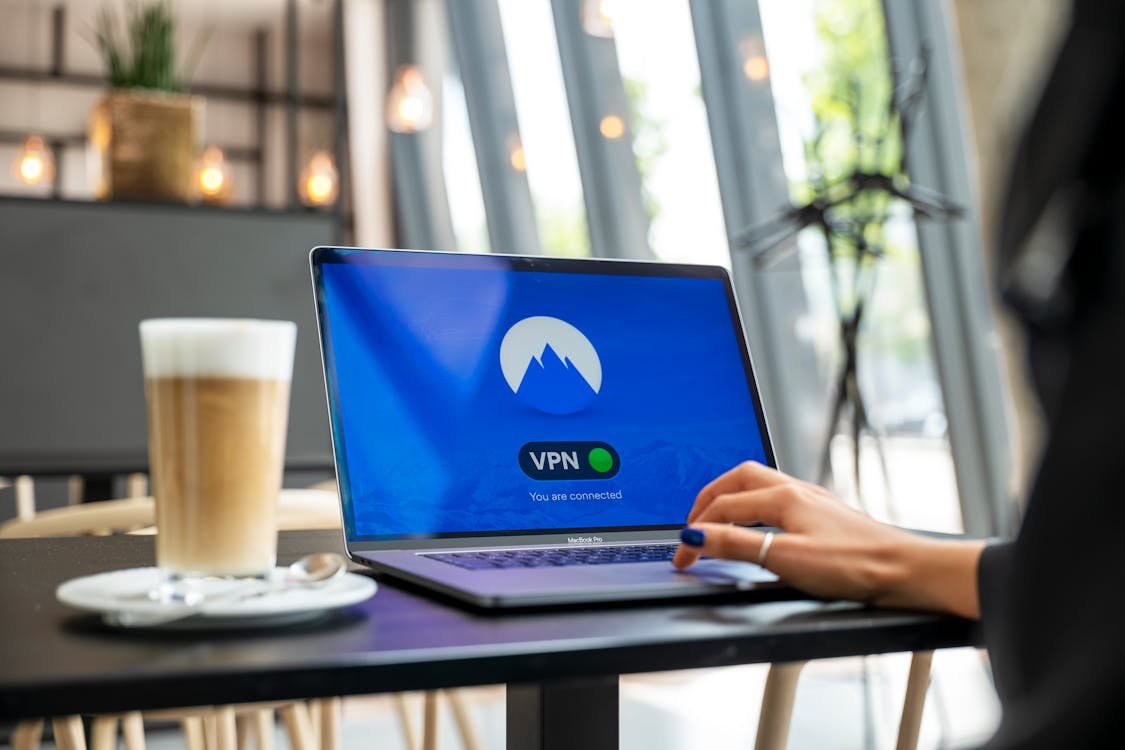
In 2026, a VPN on public WiFi is the minimum baseline of protection, not an optional extra. A VPN with a kill switch — which blocks all traffic if the VPN connection drops — ensures that even on an evil twin network, your data exits through an encrypted tunnel before any attacker can read it.
From my experience evaluating VPN solutions for our client deployments and internal team use, I'd recommend ProtonVPN or Mullvad over commercial alternatives. Both have independently audited no-logs policies and open-source clients you can verify yourself. Free VPNs should be avoided entirely — many monetize your browsing data, which completely defeats the security purpose.
Non-negotiable features to look for:
- AES-256 encryption
- WireGuard or OpenVPN protocol (WireGuard is faster; OpenVPN is more compatible)
- Kill switch (mandatory — don't compromise on this)
- DNS leak protection
- Published no-logs audit from an independent security firm
2. Disable Auto-Connect on Every Device
Your phone and laptop auto-rejoin saved networks by default. This is the primary mechanism evil twin attacks rely on — no interaction required from you.
Windows: Settings → Network & Internet → Wi-Fi → Manage Known Networks → for each saved network, toggle "Connect automatically" off.
macOS: System Settings → Wi-Fi → click your network → uncheck "Auto-join."
iOS: Settings → Wi-Fi → tap the (i) icon next to a network → toggle "Auto-Join" off.
Android: Settings → Network & Internet → Wi-Fi → Saved Networks → tap each saved network → disable auto-reconnect.
3. Verify Network Names In Person
Before connecting at a hotel or café, ask staff for the exact SSID. Better: ask for the router's MAC address if you have a WiFi analyzer app. If two networks appear with the same name in your scan, that is a hard stop — do not connect to either until you can verify which is legitimate.
For any work involving production credentials: use your phone's mobile data hotspot instead of public WiFi entirely. The bandwidth cost of a Laravel deployment over LTE is trivial compared to a compromised GitHub token or database password.
4. Enable HTTPS-Only Mode in Your Browser
Modern browsers support a mode that refuses to load HTTP pages at all:
- Firefox: Settings → Privacy & Security → HTTPS-Only Mode → Enable in all windows
- Chrome: Settings → Privacy and security → Security → Always use secure connections
- Safari: Enabled by default for HSTS-preloaded sites
This blocks SSL stripping attacks on sites that support HTTPS, though it does not protect against DNS spoofing — only a VPN addresses that layer.
5. Use TOTP-Based MFA on All Accounts
Even if an attacker captures your password through a man-in-the-middle attack, app-based MFA (like TOTP codes from Aegis on Android or Raivo on iOS) adds a time-sensitive second factor that cannot be captured from the network. Avoid SMS-based MFA on sensitive accounts — it's better than nothing, but SMS is vulnerable to SIM swapping attacks.
6. Never Ignore Certificate Errors
If your browser displays a certificate warning on a site you normally visit without one, that is a strong signal of an active MitM attack. Close the browser immediately, disconnect from the network, and access that site only from a trusted connection. Clicking "proceed anyway" on a suspicious certificate error hands the attacker your session.
7. Use Encrypted DNS (DNS over HTTPS)
Even on a legitimate network, your DNS queries may be readable by your ISP. On an evil twin network, the attacker controls DNS entirely. DNS over HTTPS (DoH) encrypts your DNS queries so they cannot be read or redirected by the network operator. Combined with a VPN (which provides its own encrypted DNS), this closes most of the attack surface at the network layer.
Firefox: Settings → Privacy & Security → DNS over HTTPS → Enable.
Chrome: Settings → Privacy and security → Security → Use secure DNS → With: Cloudflare or Google.
How to Detect an Evil Twin in Progress
Detection isn't guaranteed — the attack is designed to be invisible. But these are signals worth watching for:
- Two networks with the same SSID visible in your WiFi scan simultaneously
- Unusually slow internet despite "strong" signal — traffic is routing through an extra hop
- Certificate errors on familiar sites — especially on sites you visit regularly without any warnings
- An unexpected captive portal appearing on a network you've connected to before
- VPN failing to connect — some attackers block VPN protocols; treat any VPN block on public WiFi as a hostile network indicator
If your VPN connection is blocked by a public network, do not proceed without it. Switch to mobile data.
What to Do If You Were Compromised
If you connected to a suspicious network without a VPN and performed authenticated actions:
- Change all passwords entered during that session — immediately, from a trusted network
- Revoke all active sessions — most services (Google, GitHub, etc.) offer a "sign out of all devices" option in security settings
- Rotate API keys and tokens — GitHub personal access tokens, AWS credentials, service API keys, and any other programmatic credentials used during that session
- Review recent login activity on all accounts for any unfamiliar access
- Enable MFA on any account that doesn't have it yet
- Report to IC3.gov (FBI Internet Crime Complaint Center) if you suffered financial loss or identity theft as a result
Quick Reference: Threat vs. Protection
| Attack Vector | Protection |
|---|---|
| Network-level interception | VPN with kill switch |
| Auto-connect exploitation | Disable auto-join on all saved networks |
| SSL stripping | HTTPS-only browser mode |
| Credential capture via MitM | MFA on all accounts |
| DNS spoofing / redirect | VPN with encrypted DNS + DoH |
| Session hijacking via cookies | Rotate session tokens after public WiFi use |
| Fake captive portal phishing | Verify network name with staff before connecting |
Final Thoughts
Evil twin attacks are not theoretical. The incident I described in that East Java hotel lobby is the kind of thing that happens in real locations, to real devices, targeting both everyday users and professionals who should know better.
The attacker's barrier to entry is low — consumer hardware and freely available software is all it takes. Your barrier to protection is equally low: a reliable VPN, disabled auto-connect, and the habit of verifying network names before connecting covers the vast majority of the risk.
From 11+ years of managing production credentials across enterprise systems that handle real transactions — payroll, inventory, financial records — the lesson is consistent: never trust a network you don't control. Treat every public WiFi as compromised until proven otherwise.
Found this helpful?
Subscribe to our newsletter for more in-depth reviews and comparisons delivered to your inbox.